

Explore Learning API
Learn how to use the Bob Learning API to add course providers and training content
Note:
This API requires the Bob Learning module. If your company does not have Learning enabled, you will not be able to use the Learning provider integrations endpoints. To learn more, see Bob Learning.
The Bob Learning API lets an external learning provider (or an integration developers in‑house) connect a course catalog to Bob Learning.
With this API you can:
- Create an Learning provider integration instance for a specific provider in Bob
- Push a course catalog into Bob
- Update and archive courses as your catalog changes
- Push learner progress events back to Bob (xAPI)
Key concepts
This section explains the main entities you’ll work with when integrating a course catalog and learner progress into Bob Learning.
Learning provider integration
A Learning provider integration is a single configured connection between a company and a provider in Bob.
You create one integration per provider, and then reference it when pushing courses and progress.
Public API behavior: You can create and delete integrations via the Public API using your provider identifier.
Course providers
A course provider is the external system that supplies courses and learner progress (for example, a learning content vendor).
In Bob, you can view the provider in the course details (below the course name) or by adding the Provider column to the Courses view.
Public API behavior: Creating a learning provider integration via the Learning API adds a new course provider in Bob.
Training content (courses)
Training content represents the courses that come from a provider and are available in Bob.
Each course is identified by the external identifier you provide
Public API behavior: You can bulk create, update, and archive courses via the Public API.
Learning library
The Learning library is where employees discover and launch available courses in Bob. You can access it from Bob Learning > Library. For course fields and how they appear in the UI, see Create a course
Public API behavior: Courses you add to an integration via the Learning API can appear in the Learning library, depending on their collection and audience.
Content collections
A content collection groups courses and defines who can see them (audience). Courses that aren’t included in any collection won’t appear in the Learning library.
Collections are managed in Bob Learning > Settings > Content collections. For details, see Manage content collections.
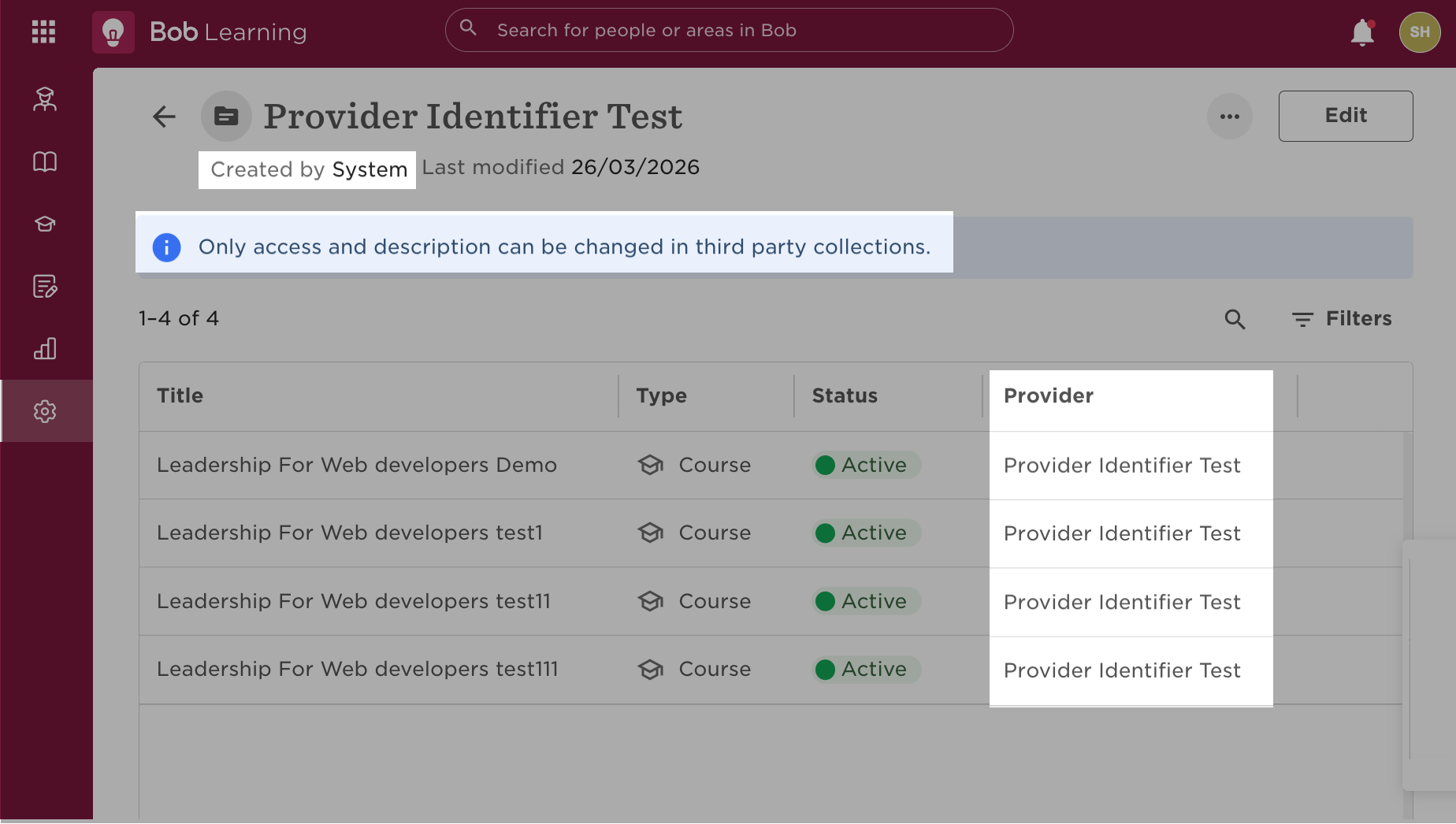
Public API behavior: When you create an integration provider via the Public API, Bob creates a content collection for that provider.
In Bob, the collection will:
- Show as:
Created by:SystemwithAll employeesselected as the audience by default. - Provider: the integration provider ID.
- Content creation: Courses for that provider can be added to this collection only via the Public API.
- Access: Bob users can only edit the audience access and the collection description
Progress statements (xAPI)
Learner progress is sent to Bob as xAPI statements.
Progress events reference the relevant course by externalIdentifier
Public API behavior: You can push xAPI statements for learner activity and progress via the Public API.
Data model and relationships
sequenceDiagram
	autonumber
	participant Partner
	participant Bob

	Partner->>Bob: Create integration (provider identifier)
	Bob-->>Partner: Provider added

	Partner->>Bob: Push courses (provider identifier, courses)
	Bob-->>Partner: Courses created

	Partner->>Bob: Push progress (provider identifier, course externalIdentifier)
	Bob-->>Partner: Progress accepted
Recommended workflow
- Create an integration instance.
- Push course content (your catalog) into Bob.
- Keep the catalog in sync (update and archive).
- Push learner progress via xAPI.
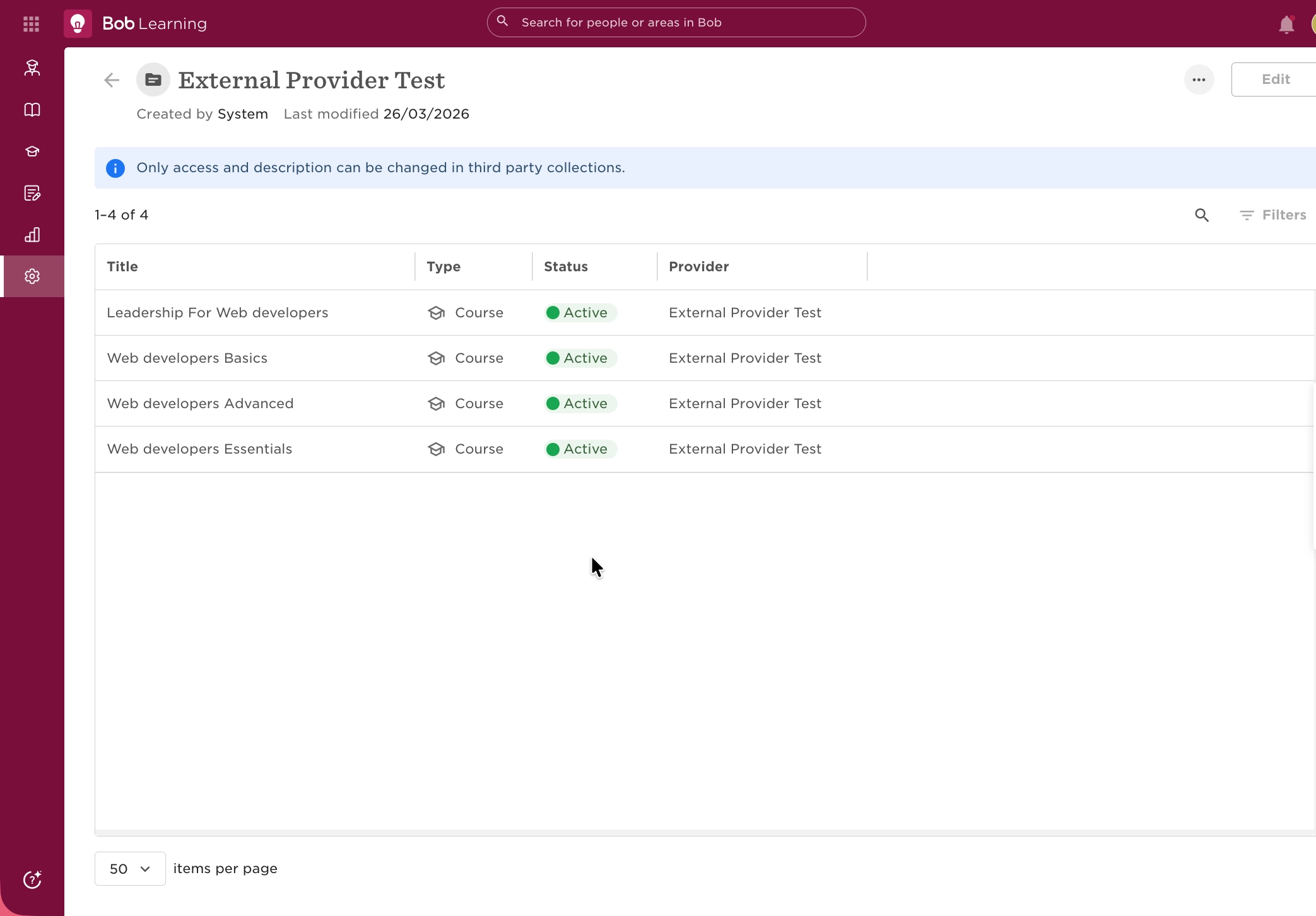
When you create an integration provider via the Public API, Bob creates a content collection for that provider.
Required permissions
Before using the Learning API, make sure your integration has the required access, just as you would when assigning permissions to a user in Bob.
To do this, you should choose one of the following authentication methods and assign the relevant permissions/scopes:
- Service user (Basic Auth): Recommended for customer-built/internal integrations. The calling service user must have permissions to manage Learning provider content:
- Permissions:
Features > Integrations > Course providers > Create, update and delete the integration
- Permissions:
- OAuth (Bearer token): Used for marketplace/partner apps. The calling app must have scopes that allow to manage Learning provider content:
- Integrations > Manage learning integrations (
learning.integrations:write)
- Integrations > Manage learning integrations (
If the calling integration does not have the required permissions, the API will return an authorization error (for example, 403 Forbidden).
Bob Learning API endpoints
The Bob Learning Public API provides endpoints for managing integrations, courses, and repoting progress.
| Use case | Public API endpoints | Comments |
|---|---|---|
| Create or remove an integration | Create an integration instance, then reference it by provider-identifier in subsequent calls. | |
| Push training content | Create training content (bulk insert) | Bulk insert new courses into Bob. Each course is identified by the external identifier. Categories are added on-the-fly if they do not exist yet in Bob. |
| Update course catalog | Update training content (bulk patch) | Bulk patch updates to existing courses. |
| Archive courses | Archive training content (bulk) | Archive courses that should no longer be available. |
| Push learner progress | Submit xAPI statement | Send xAPI statements for learner activity/progress. |
Related resources
Updated 5 months ago